Starting from £495
Done-for-you setup
Configure ProdQueue’s standard capabilities, test one real order flow and hand it over ready for the team.
- Standard ProdQueue configuration
- Test orders and workflow checks
- Team training and handover

Made-to-order production, inside WooCommerce
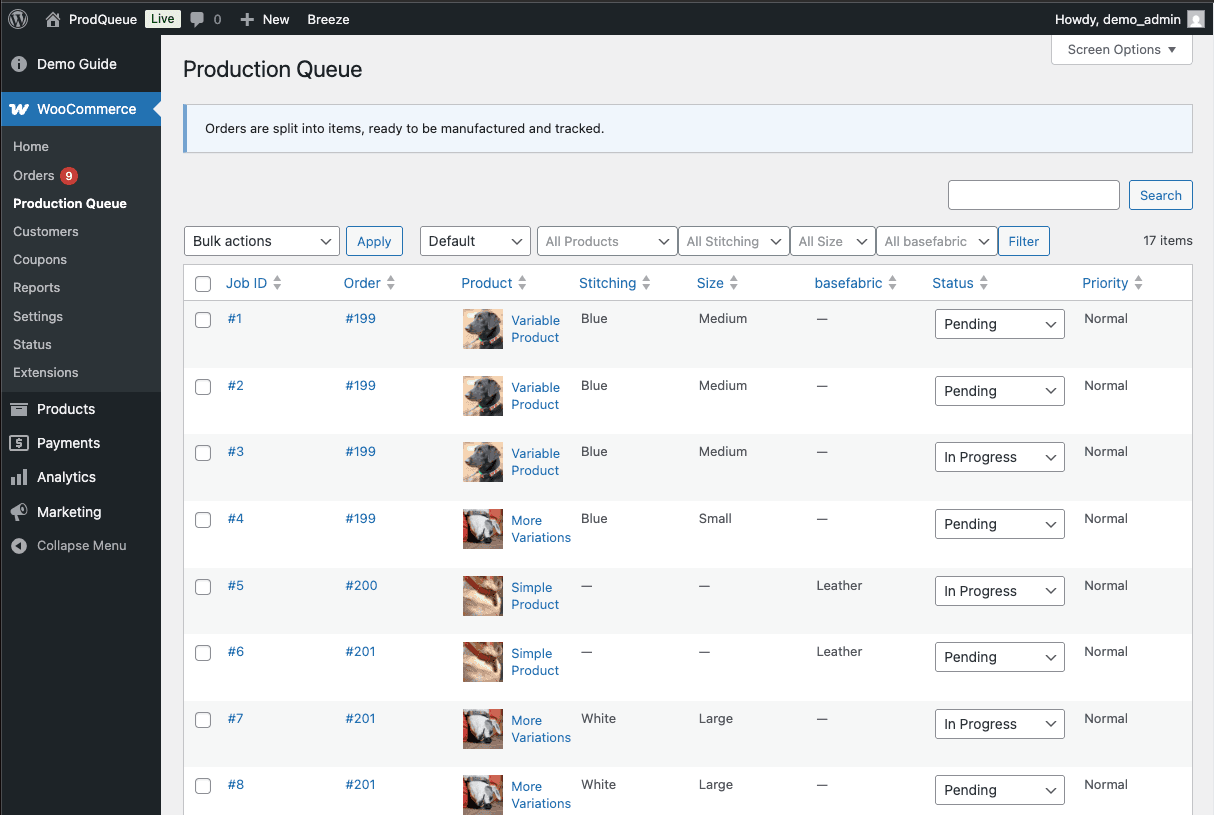
ProdQueue turns each tracked item in a WooCommerce order into its own production job, with the product details, status and priority your team needs to know what to make next.
£10.5m+
In WooCommerce sales managed through the real production workflow ProdQueue was built from.
1 per item
Every physical unit of a tracked product receives its own production job.
Inside WooCommerce
No separate production platform or additional team account.
The gap after checkout
When five custom items sit inside one order, WooCommerce can show you the sale. It cannot show production which three are finished and which two are still waiting.
Spreadsheets drift out of sync
Order notes hide item-level progress
Rush jobs compete with ordinary work
Edits and refunds create guesswork
How it works
Keep WooCommerce as the source of truth. ProdQueue adds the item-level production structure the standard order screen is missing.
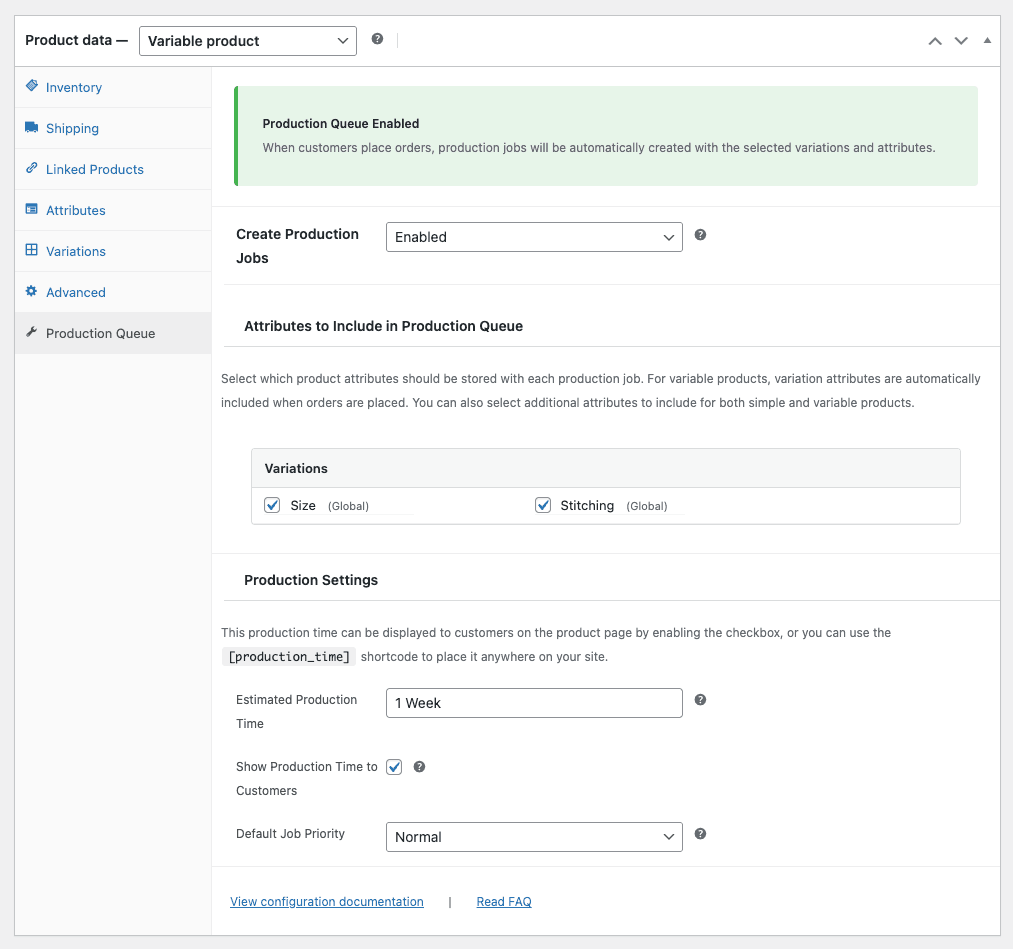
Enable ProdQueue for the products you make, then choose the product attributes your team needs on each job.
When an order reaches your chosen status, each tracked unit appears as its own production job.
Your team can search, filter, prioritise and update work from one production queue inside WooCommerce.
See jobs from the order, record events in order notes and optionally complete the order when production is done.
Built from the shop floor
£10.5m+
In WooCommerce sales managed through the workflow it grew from.
ProdQueue began as an internal production workflow for a growing made-to-order manufacturer. As order volume increased, one WooCommerce order could contain several physical items at different stages of production. That workflow has supported more than £10.5m in WooCommerce sales and was rebuilt as a focused extension for other small production teams.
Built for the work
The controls a growing made-to-order team needs, without moving sales or customer data into another platform.
Quantity five means five trackable jobs, not one line item.
Search by job, order, or product. Filter by status, priority, and attributes.
Move work from Pending to In Progress to Completed without reloading the page.
Set Normal, High, or Rush priority so the team can see what needs attention.
Handle edits, cancellations, and refunds while preserving completed work history.
Production data stays in your WordPress database. No separate ProdQueue account is required, and order data is not sent to ProdQueue.com.
ProdQueue in action
See individual jobs created from an order, then update status and priority directly from the production queue.
Video transcript
Inside the plugin
Queue, job, and product-level views keep each team focused on the information it needs.
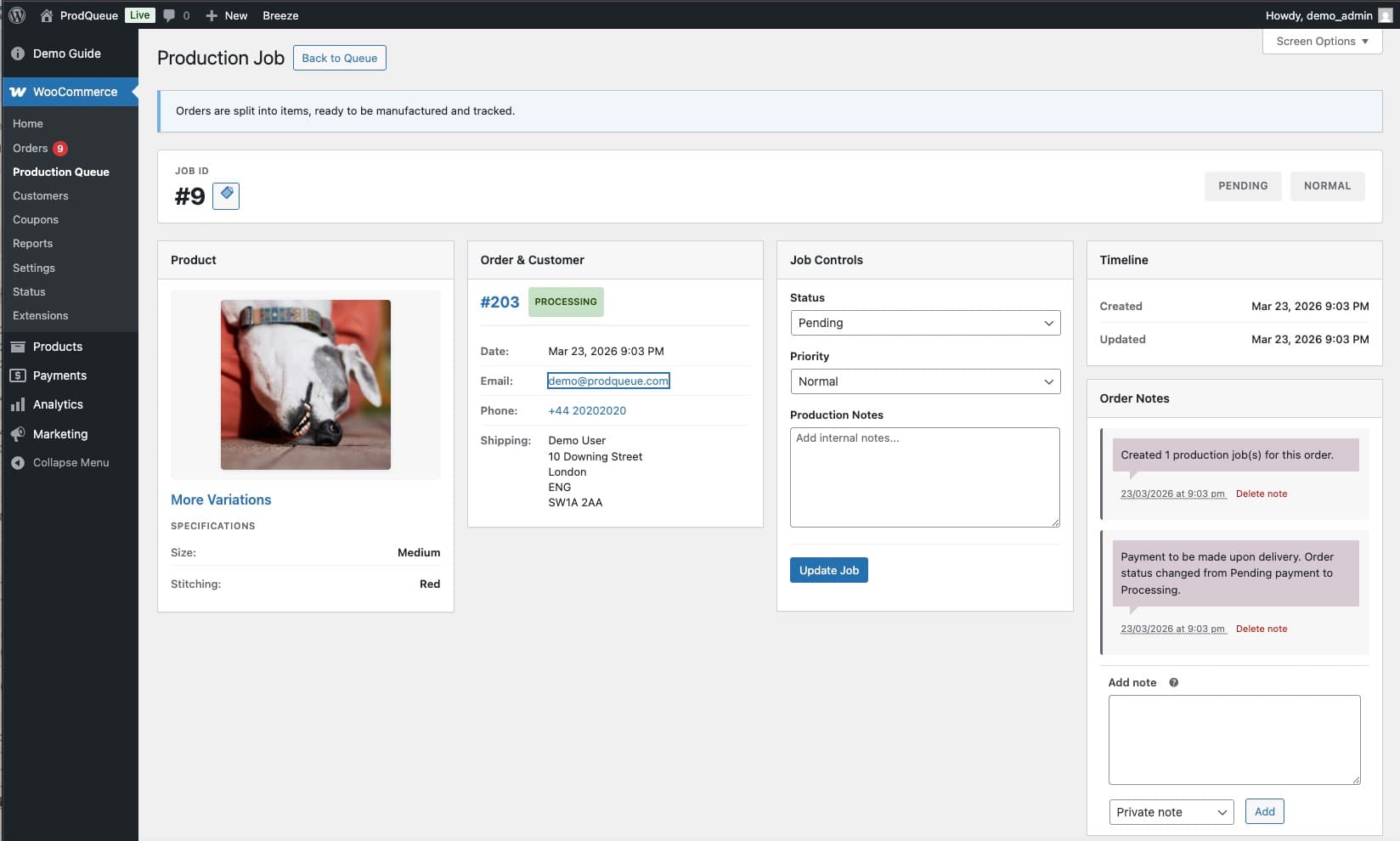
No. Orders remain the source of truth. ProdQueue adds item-level production jobs linked to each order.
Yes. Every ordered unit gets its own job, status, priority, and history.
Yes. Choose the attributes your team needs, such as size, colour, finish or personalisation, for each tracked product.
No. ProdQueue lives inside WordPress and WooCommerce, where your team already works.
Open jobs are reconciled with the order while completed work remains in the history. Events are recorded in WooCommerce order notes.
No. ProdQueue focuses on production work after checkout and leaves the rest of WooCommerce in charge.
Built by an operator, not an ERP company
I manage operations for a growing UK made-to-order manufacturer. As our order volume increased, WooCommerce could tell us what had sold, but not give our production team a clear view of every individual item still waiting to be made.
I built the original workflow to solve that problem internally. It has since supported more than £10.5m in WooCommerce sales, and ProdQueue is the focused version rebuilt for other small production teams.
Optional implementation help
ProdQueue is designed for self-service. Optional implementation help is available when you want guided configuration or when an important production step needs custom development.
Starting from £495
Configure ProdQueue’s standard capabilities, test one real order flow and hand it over ready for the team.
Starting from £2,500
Scope custom code when fields, automation, scanning, reporting or integrations sit beyond the standard plugin.
Both services are optional. You can buy the standard ProdQueue extension from WooCommerce.com and configure it without implementation help. Not sure which route fits? Get a recommendation.
Start with one product
Open the demo, create an order and watch every item become its own production job. When you are ready, install ProdQueue through WooCommerce.com with its 30-day refund policy.